
Home Meal Planner
It plans the week’s dinners, writes the shopping list and rings a dinner bell for the whole household. It runs on the house’s own Home Assistant, and anyone at home can change the plan from their phone.
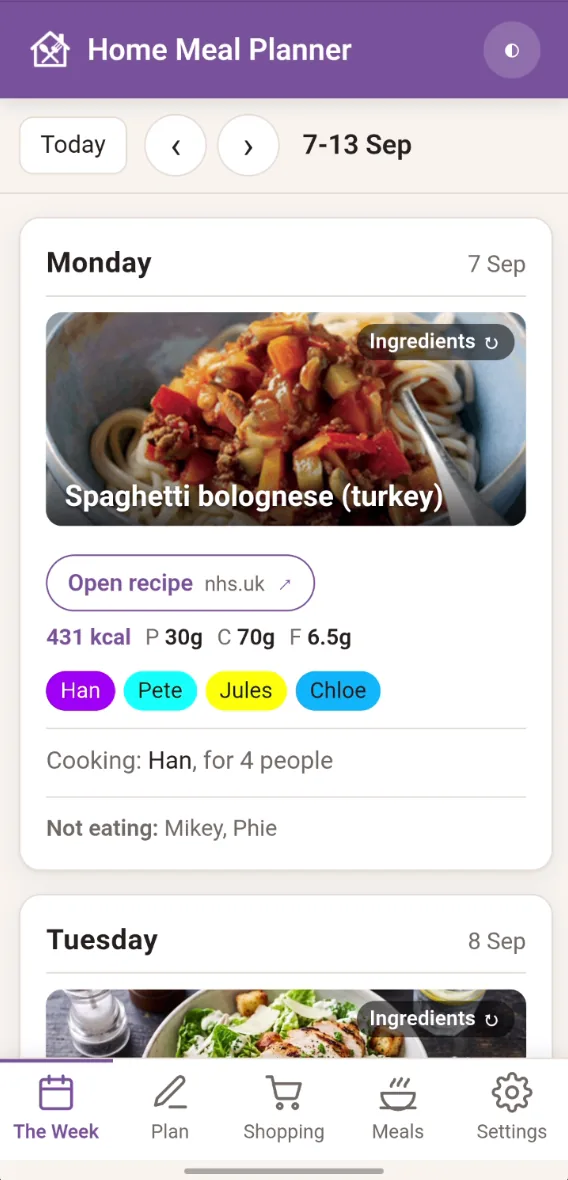
Dinner is a household job, so the plan lives in the household’s hub
Most meal apps are built for one person on one phone, whereas this one is built for a whole household. The plan is shared, anyone can change it, and every screen updates by itself, from phones to the kitchen display.
It runs as a Home Assistant app, so there are no accounts or subscriptions and nothing leaves the house. Installed on a phone, it keeps a read-only copy of the week for when you’re out.
What it does
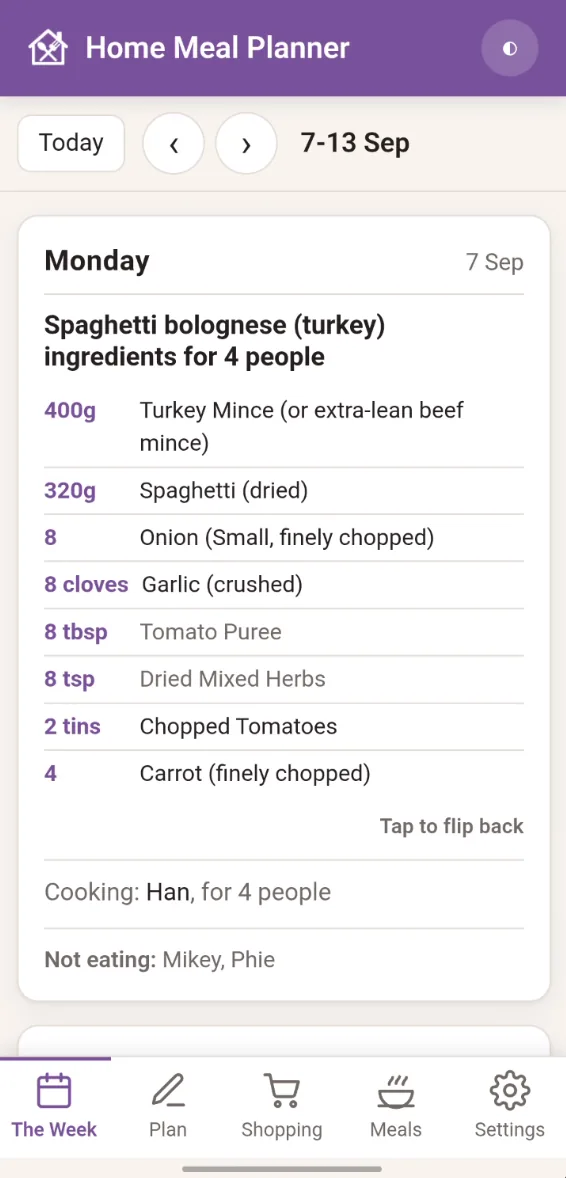
Shows each day’s meal, who’s eating and who’s cooking, and moves on to tomorrow once dinner’s done. Tap a meal’s photo to flip it over and see the ingredients, scaled to the number of people eating.
Pick from the library for each day, copy last week’s plan, or clear the week and start again.
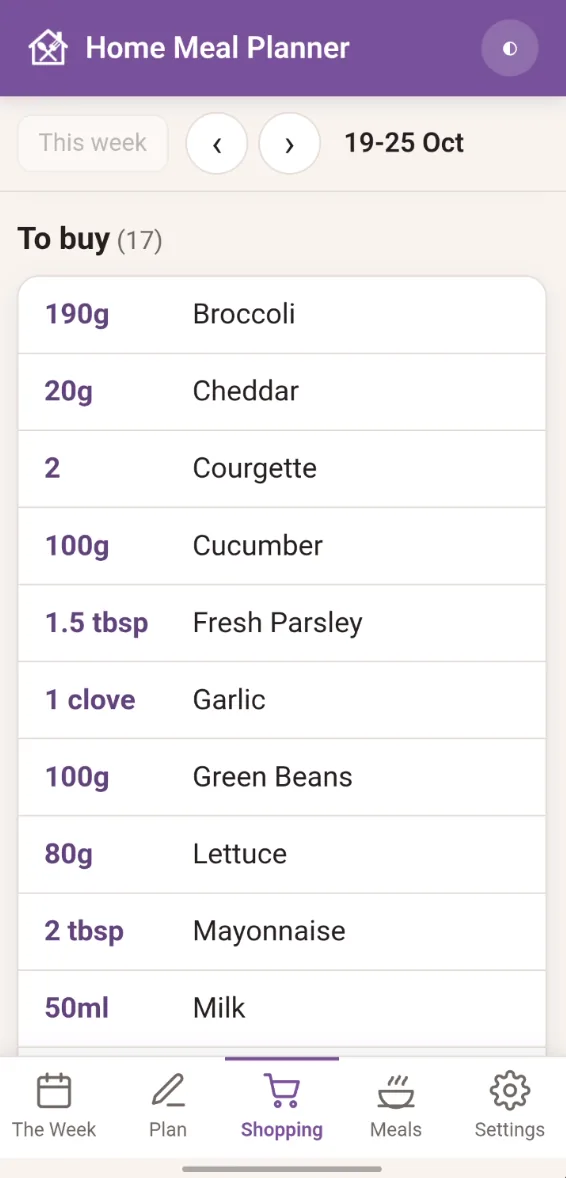
Lists the week’s ingredients, scaled to the servings, with an “Also needed” list for things like foil, baking paper and birthday cards. You can share or print it.
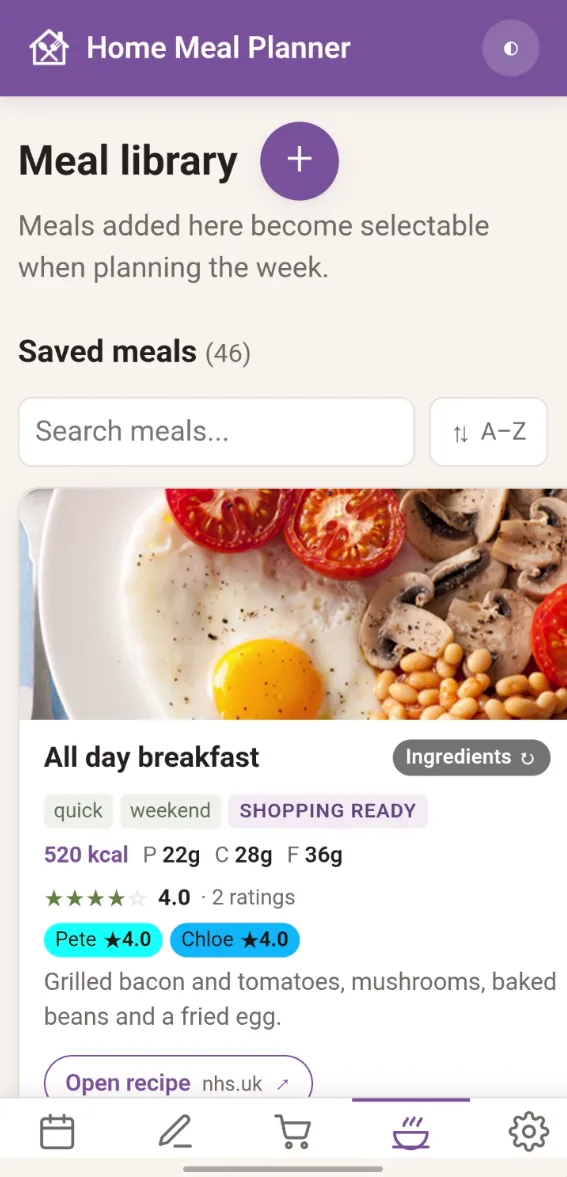
Each meal has photos, links, tags, ingredients and nutrition per serving. Everyone can rate meals, so you can sort by whose taste counts tonight.
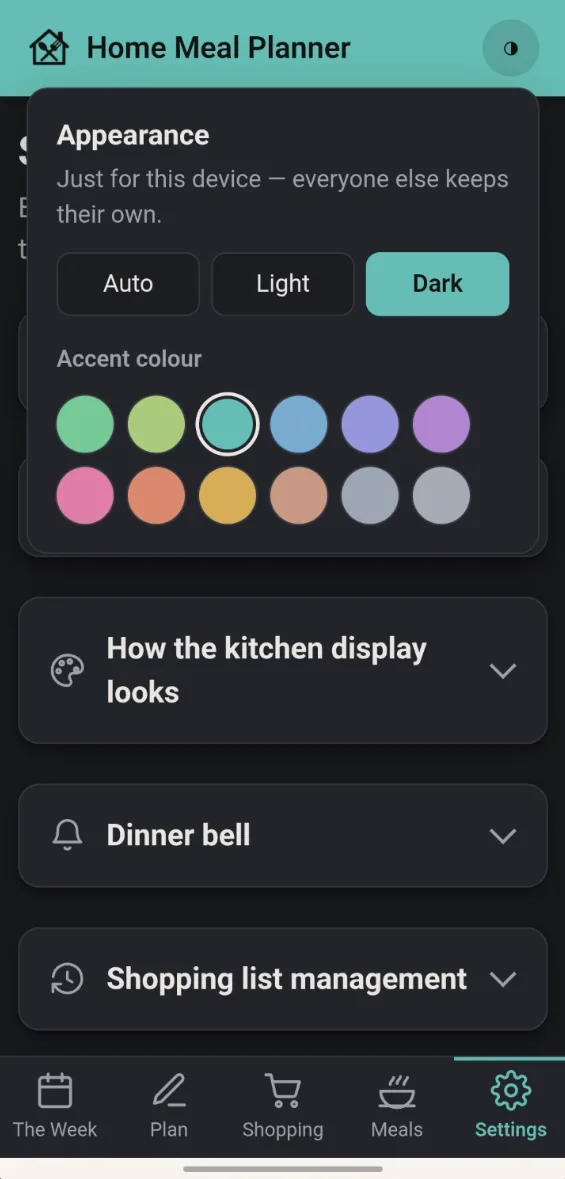
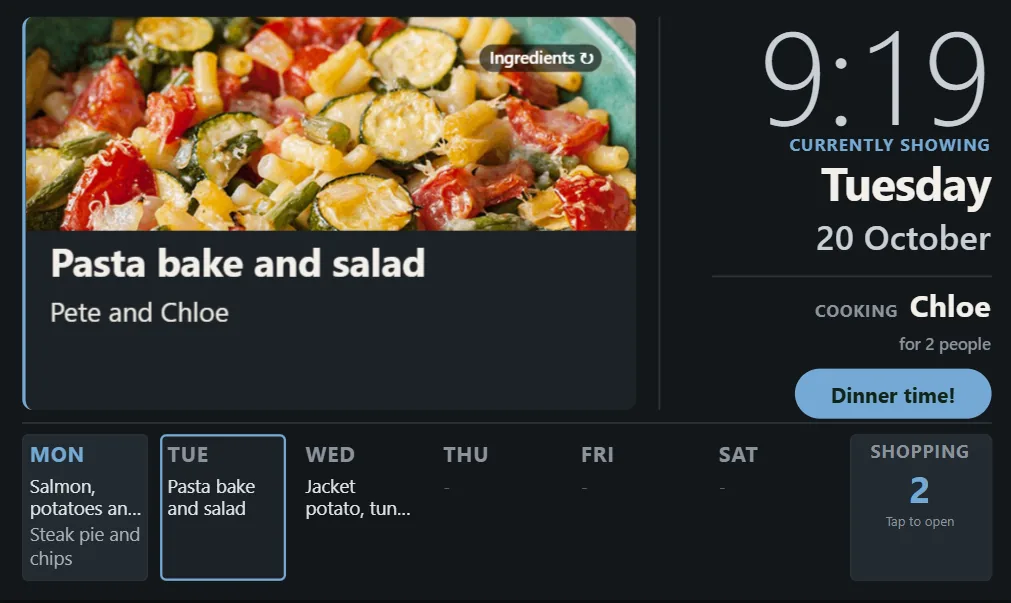
A kitchen display and a dinner bell
Casts the week to a Google Cast screen during the hours you choose, only when nothing else is using it, and dims overnight.
Rings on the speakers you pick, so nobody has to shout up the stairs, and there’s a “Dinner time!” button on the kitchen display.
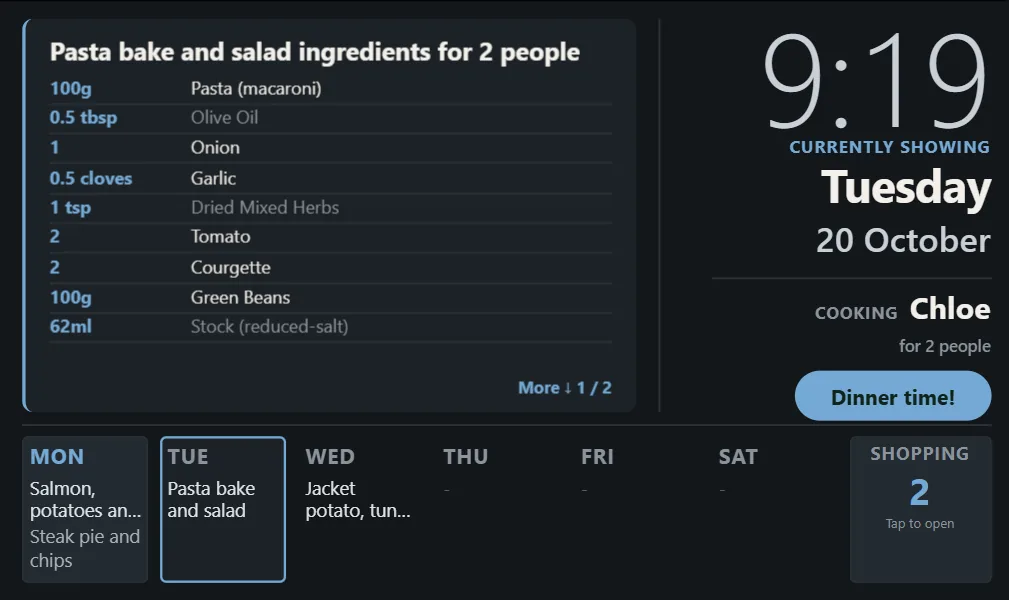
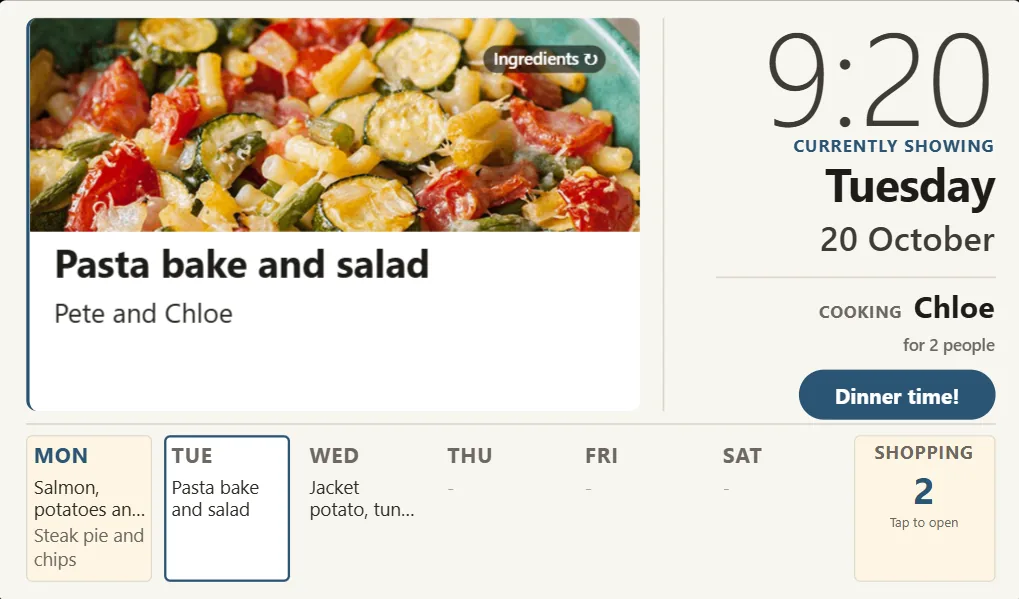
The display shows the time, today’s meal and cook, and the rest of the week along the bottom, with a shopping tile that opens the list. You choose when it moves on to the next day.
Small decisions that make it pleasant to live with
The top of a phone screen is the hardest place to reach, so on a phone the tabs sit at the bottom.
The tick-off bar sits where your thumb is when your other hand is on the trolley.
Cast can’t resume whatever a speaker was playing before the bell, so it only rings when someone presses it.
Restoring a backup saves a copy of what was there first, which makes it safe to reinstall the app.
Free to use and change
It’s in a public repository of Home Assistant apps, so other families can install it and other developers can see how it was built.